Review – “Librarianship in the Great Age of Experimentation” with Steven Bell

I watched this webinar as part of the I LEAD USA program sponsered by the Illinois State Library Association. Here is a quick review to document the experience and reflect a little bit.

Librarianship in the Great Age of Experimentation

The presentation addressed the question “How do we create a culture of experimentation?” and started with a thought experience involve a student interview set in the year 2018 that praises a program call “Library that learns you.” This program – sort of like an embedded librarian/google information/netflix recommendation engine is praised. And then the speaker asked two questions: “Is this a  good idea” and “What do we need to learn/develop for this to work”

[youtube id=”rtWrnuHt9RQ”]

I think this exercise encouraged people to think creatively about long term goals. There was some limited discussion about the limits of library services (especially related to privacy and big data) and whether this “service” is an extension of traditional library services like embedded librarianship. People also talked about the need for cross-campus connection and the technology learning curve.

What is experimentation?

The presenter then asked simply “what is experimentation?” and gave some examples for science and engineering. In general, these examples stressed the need for trial and error and the combination of serendipity and hard work. He then offered these principles.

  1. Has to do with discovery. Starts with a question or quest.
  2. It makes things better. Improvement – easier, faster, more accessible.
  3. We should have an end goal that moves us forward into the future.

He then framed the rest of the presentation in three parts (I’ve used them as heading below)

There is an accelerated pace of innovation and experimentation in education

  • Lots happening – but most of it is happening outside of the traditional world of academia.
  • Where is the next Khan Academy?
  • Not much change in the last few hundred years (majors, etc.)
  • Jeff Salingo (http://www.jeffselingo.com/)
  • Move away from majors – more toward experiences.
  • No one wants to be first to change. No one wants to leave the “prestige” race.
  • Is that the fear of failure? Yes, absolutely.
  • Much more alt-ed now. Traditional education (4 years of linear study etc.) is waning.
  • Where do the alt-ed people connect with the library?
  • Sebastin Thrun Vision for Disruptive Higher Ed
  • We are in an evolutionary period.

2. Practical examples from libraries. (physical space and learning space)

  • Physical environment
    • SCALEUP room at Virgina Tech.
    • Also Purdue and Penn State?
    • Library leads experimentation.
    • NCSU Hunt library Creativity Studio.
    • What can space do we need to call it a “Creative space?”
    • “one button studio” very popular and gets people in the library.
    • Temple University: Think Tank and Flex-Study Space
    • Remind 101
  • Learning environment
    • Combining research and writing.
  • Publishing
    • Library Publishing Coalition
    • There is a crisis in scholarly publishing.
    • SUNY open textbooks
    • Publishing is a big movement.

3. Things we can do to create a better culture of experimenting

  • There is something good about experimentation.
  • Chip and Dan Heath – “”Switch”
  • Start small – keep it simple.
  • Think like a scientist – think like a designer. Question to experiment. Understand the problem.
  • Support staff re-skilling.
  • Create cross-departmental projects. Get out of silos.
  • Kill off the HiPPOs (Higher Paid Person’s Opinion)
  • Fail frequently and fail quickly.
  • Even in failure – what was learned?

Next steps:

  • Talk about it at your library. What is our tolerance for failure?
  • Connect with experimental projects.
  • Resolve to explore more mysteries.
  • These are important!
  • Mystery boxes are everywhere. (https://www.ted.com/talks/j_j_abrams_mystery_box)
 

Review: “Learning Everywhere: the transformative power of hyperlinked libraries.”

This is part of a series of reflections/ruminations based on my notes from the ILEAD USA experience and is posted as much for my own reflection and future reference as for the imagined reader. See all my reflections through the tag ILEAD USA.

Learning Everywhere: the transformative power of hyperlinked libraries.

Michael Stephens, Assistant Professor in the School of Library and Information Science at San Jose State University
[youtube id=”IX7XsUJ0fU4″]

Michael has posted the slides as well as links to several articles on his website.

Summary and Reflection of the Talk

[I hope to come back and add my notes here at a later date – let if suffice for me just to post this for future reference!]


Social Media Policy for the Brandel Library

I’ve been thinking a bit about developing a plan and policy for the Brandel Library’s social media accounts. In the past, I’ve viewed this as an “important but not urgent” issue and I largely feel the same way now. However, I think that both for planning sake and direction I should invest some time and thought in researching other library’s policies and best practices to guide the Brandel Library’s social media in 2014.

Developing a Policy – Why?

By “policy” I mean a set of expectations that set the boundaries for acceptable conduct as well as some lofty goals for social media in the context of an academic library. I’ve started collecting some relevant policies and articles in this Zotero library and hope to keep updated that frequently.

Starting with the question of “Why?” leads me to connect our social media policy to the library’s general mission statement. Our current mission statement (as of 2012) is:

The Brandel Library supports the educational mission of the university by offering resources, services, and an environment to stimulate academic inquiry and intellectual, cultural and social exchange, while reflecting the Christian, urban, and multicultural vision of the university. This is accomplished through the acquisition, organization, and preservation of both physical and digital materials, and by facilitating their use (access) in a complex information environment through course and individual instruction. Creating awareness of and providing access to these collections are essential to our mission.

I’ve taken the liberty of highlighting certain phrases that I find particularly relevant to the library’s social media policy. Having not planned this – I’m actually relatively happy with how well library mission statement mapped to social policy. At the same time, I also see that our mission statement seems focused on our collections (and facilitating their use) and not on our our users (and meeting their needs). Something to consider long term, I guess.

A Simply Policy

Editorial confession – this draft has been pending for months. In that time, I went to the #ILEADUSA meeting and heard an inspiring talk from Beck Tench. The simplicity of her institutions social media policy has inspired me so much that I’m going to steal it directly and offer it as a first draft. Her policy is simply this:

  1. Use common sense.
  2. If it gives you pause, pause.
  3. We’ve got your back on this.

If I recall correctly, this policy was given in a section of her talk focused on trusting people completely. I’m going to move forward with that confidence and revisit this when the need arrives.

“This is how I study”

Just wanted to jot down an idea and try to fill out in a semi-public space.

I’ve been thinking a bit about library instruction, social media, and creating a learning culture at North Park. One idea – based deeply on lifehacker posts “How I work” – is for North Park to try and create a “This is how I study” video series. I think it would be awesome for the following reasons:

  • Would allow and encourage peer to peer instruction.
  • Would create content for our social media campaigns.
  • Would allow librarians to do instruction on a personal basis as well as on make that content available to a wider audience.
  • It would be interesting! Do students listen to music? Work in the library or their apartment?
  • I would imagine these stories (videos? webpages?) could be linked from social media as well as embeded in libguides.
  • I wonder if it could fit in existing structures (like the writing center, tutoring program, or capstone classes) or whether it would be separate.

That’s my emerging idea. Will run it by some people here at North Park to see what people think.

Edit: This idea is also very similar to the ACRL’s recurring post “Memeber of the Week”

I LEAD U – Awesome Librarians

This is a quick review/reflection of the Opening Keynote Address (given Tuesday, March 26, 2013) by R. David Lankes, Professor and Dean’s Scholar for the New Librarianship, Syracuse University School of Information Studies

The talk is titled “Awesome Librarians” here is a link to the video.

Librarians must build more than a collection: they must build communities and conversations.

This address seems directed at the I LEAD U community and he exhorts the audience to take advantage of the opportunity and to learn to enjoy ambiguity. Throughout the opening of this talk, he is focused on building awesome librarians and not just awesome projects. The projects are important but are one part of the bigger picture. He shifts the focus from products and services (websites, videos, collections) to the fundamental mission of librarians, which he defines like this:

Our mission: to improve society. How do we do it? By facilitating knowledge creation in our communities.

I was quite refreshing hearing Professor Lankes repeat the actions of libraries – improve, learn, teach, engage – because it painted such a wonderful and broad perspective of what libraries are and what librarians do.

We are here to make our communities better.

Libraries build tools to allow this happen. This personally convicted me in a number of ways; I often think that my job is to make our electronic resources more accessible, or a user interface slightly better, or hidden collections more accessible. I think Lankes would say this is fine…so long as the most important goal is guiding these efforts.

Avoid talking about “the user” – only computer scientists and drug dealers have users. Don’t call them “consumers” or “customers” either. Don’t “use” the library but “join” the library in terms of shared activity. Measure the success of the library in terms of success of the community – not in spite of the community! He claims we approach too many problems with the mindset “my community doesn’t read enough” and then try and solve the problem like that. Don’t promote collections – ask “what do you want?” and “what do you want to be?” instead. Our communities have problems – but they also have dreams and aspirations and goals; the job of libraries is not to fix the problems – it is help people achieve their dreams and aspirations and goals.

To be an “awesome librarian” or an “epic librarian” don’t just do your job – understand why you do your job! This will help you determine when something different is needed. We are about human to human connection, conversation, and learning. What does learning require? Answers to this question will vary but are the most important parts of library service.

Help the community. The is the goal. The community is the collection.

My goals for I LEAD U: one, become awesome and, two, do awesome things.

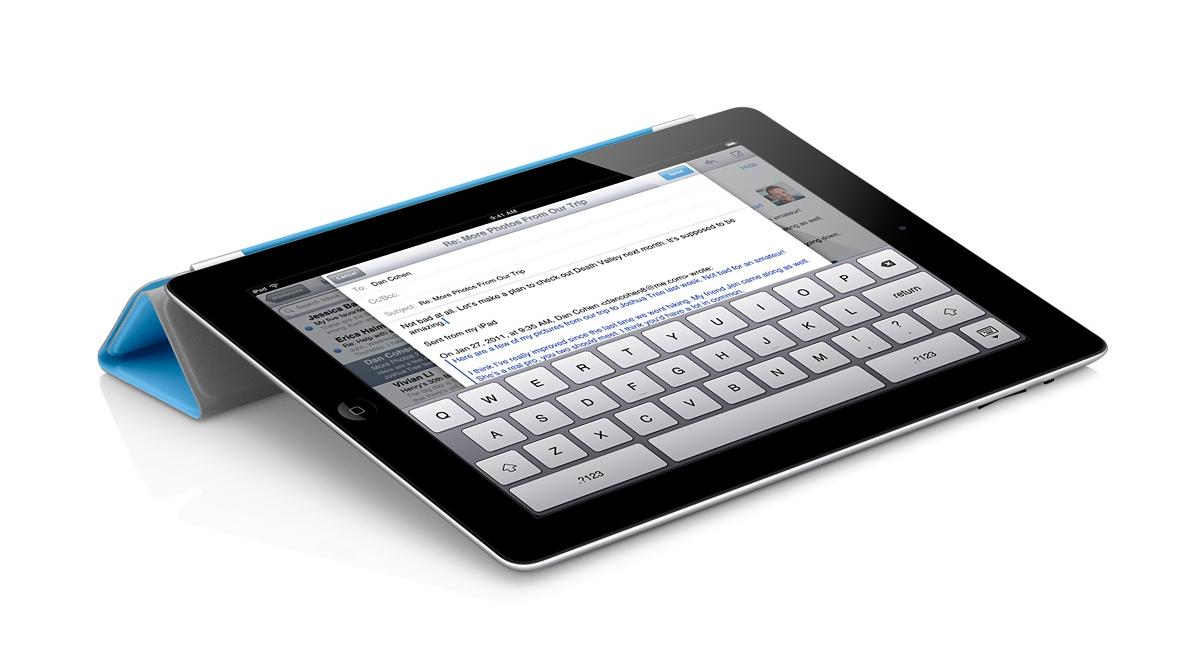
iPad apps for Academic Technology Committee – Updated

Total confession to make – I love my iPad. So when I was approached by a representative of North Park’s Academic Technology Committee about the possibility of doing a demonstration about favorite productivity apps, I was thrilled. Thought this is an extremely tentative invitation, I’ve been working with electronic resource usage statistics all day and feel like this would be a nice break!

Rather than focus on apps and what they can do – I’m going to try and focus on the things I want to do and how apps fit into that picture.

Taking Notes at a Conference (or in the Archives)

Evernote_Icon_256This won’t come as a huge surprise or particularly innovative, but I love using Evernote when I’m at a conference or meeting. Evernote is the free app that beautifully syncs across devices. In conjunction with my trusty apple keyboard, this makes a great combination for jotting notes on the fly. The basic unit of evernote is the “note” which can be sorted into different notebooks or tagged with different tags. Evernote also adds data about when and where the note was created so that you can view your notes in both time and space.

One great (and overlooked) feature of the iPad is the camera – Evernote’s app takes this in consideration and has really positively effected my conference and meeting workflows. So far, I’ve taken pictures of powerpoint presentations, displays from poster sessions, business cards, handouts, and agendas so keep all that information in one place. A really great thing about Evernote is that it performs Optical Character Recognition on your photographs so that all text – both text you have typed and text that you captured with the camera – is searchable.

Evernote also proved to be a great app when it comes to archival research. In additional to recording metadata, I was able to quickly snap pictures of things like title pages, long quotes, or other things to jog my memory later on. This is certainly not a replacement for traditional methods of research or recording information, but it was much easier and more efficient than a pencil and paper approach.

Professional and Scholarly Reading

Zotero isn’t an iPad app per se, but it has been the tool that has most revolutionized my professional and scholarly reading. Zotero is a bibliographic management tool – and that is much much cooler than it sounds. Here is a good video demostration care of a librarian at Wake Forest University.

[youtube id=”7FOu94Ah85Y” align=”center”]

I’m actually somewhat surprised I haven’t written more about Zotero here (given how much I like it) and could easily dedicate a whole post to it. However, the app that has really changed my workflow is pairing Zotero with something called Papership. Papership is a app that sync with Zotero (or Mendeley, if that’s more your style) and allows you to annotate and sort PDFs from a iPad. They too have a cool video.

[vimeo id=”65134134″ align=”center”]

That combination has been dynamite for me. I can find items when I’m researching a topic or browsing blogs or twitter feeds, add them to Zotero with one click, and then read and sort them when I have time.

Time and Task Management

I’m trying out Trello – a time and task management app recommended by a presenter at #ILEADUSA that I’ve been interested in exploring.

This might be boring, but I’ve found that the standard Apple calendar and task apps work quite well for me here. Both sync nicely with my North Park account and I’m very happy with the functionality they provide. I’ve tried other task management apps…but they all felt like something extra I had to maintain. I now use my standard calendar and outlook tasks at a high level and am quite happy with those results.

Technologically “cool” or “advanced”? No. Effective for me? Absolutely. A nice reminder that it’s about the user – not the technology.

Other “Essential” Apps

iAnnotate – I actually like this interface slightly more than Papership, but Papership fits in better with my workflow so I find myself using this less and less. However, if I were dealing with PDFs from other sources – say grading student papers – I would use this app all the time.

Dropbox – I use Dropbox daily – to the point where I don’t even think about it anymore. Talk to me later if you are not already on using it – it will change your file management habits.

Social Media Apps – Facebook, Tweetbot, Instagram, and Goodreads are my “essential” iPad apps for social media.

In Conclusion

I’ll likely return to this and edit it more in the future. I would describe myself as a competent user of technology that is focused on using technology to improve my daily life and workflows. I really don’t believe in technology for technology sake and will only stick to workflows and rhythms that provide a clear benefit.

Hospitality on Twitter

Just wanted to post a little exchange on twitter that I think is a wonderful example of how simple gestures on social media can twitter capturemake a huge difference. I can really present it without too much comment:

Gamification in Libraries

Presenters:

  • Speaker: Annie Pho, Librarian, University of Illinois at Chicago
  • Speaker: Bohyun Kim, Digital Access Librarian, Florida International University Medical Library
  • Speaker: Breanne Kirsch, Public Services Librarian, USC Upstate University Library
  • Speaker: Carli Spina, Emerging Technologies and Research Librarian, Harvard Law School Library
  • Speaker: David Pattern, University of Huddersfield, UK
  • Speaker: Kyle Felker, Digital Initiatives Librarian, Grand Valley State University Library
  • Speaker: Laurie Golden, Head of Community Relations, Canton Public Library
  • Speaker: Nicole Pagowsky, Instructional Services Librarian, University of Arizona
  • Speaker: Young Lee, Reference/Electronic Resources Librarian, University of La Verne College of Law

Description:

Gamification, the application of game design and mechanics for user engagement, is a society-wide trend, and game-based learning has recently surfaced as a hot topic in higher education. This program will provide (a) an overview of what gamification means in the library context, (b) what the potential benefits and pitfalls of gamification are and (c) a lively discussion by a group of librarians with many examples of pioneering gamifacation projects at academic and public libraries.

Reflection:

This session had nine presenters that each offered reflections on their own experiences applying game principles to different library settings – from public libraries to academic. Here are my reflections and notes (in no particular order)

Benefits

Game principles and habits and technologies are already in place all around us. So it’s not so much creating or recreating something as many already existing knowledge and patterns useful in a library context. A quick and incomplete list: foursquare, wikipedia, code academy, good reads, actual board games, and hundreds other places already use game principles.

One member of the panel expressed gamification as a voluntary, meaningful task that provides the user with some reward. He also talked about adding a “twist” – an arbitrary element that added difficulty to an event. Most of the presentations focused on digital games and/or online communities and in fact I would have appreciated hearing about an example of game principles being applied to an analog setting.

The potential benefits for the users are an improved library experience. One of my many cryptic and hastily written notes was “embarrassment and shame are barriers to flourishing.” I wish I had provided myself with more context, but I can surmise that one of the presenters was talking about how more traditional interactions – like coming to the reference desk – are difficult experiences for patrons and that often game principles would allow alternative paths to human flourishing. And that’s what library’s are about, right?

foursquare

I think about the foursquare model – one of my favorite online and gamified social communities. If foursquare were run by libraries, you’d likely:

  • have to attend a few sessions about how to use the service,
  • have so-called experts tell you about interesting places in the area
  • be forced to head to the reference desk to ask for a new place to visit and/or confess that you got lost along the way.

This, of course, is nothing like what foursquare is. It’s open and intuitive, you are free to search about your area and learn from fellow users (not just from experts), and there is no shame or embarrassment

The dichotomy I’m creating is, of course, totally false. I’m glad that experts and authoritative sources exist (maps, atlases, city guides, trip planners, etc.) but that’s not really the point. The question I will take from this presentation is what can libraries learn from game principles that will improve library services? How can libraries provide meaningful narrative and  structure  incentives to encourage human flourishing?

Questions/Drawbacks

The panel and at least one audience member also addressed some pitfalls of gamification. Some were methodological and, though basic, are worth repeating. Make sure your game is fun and enjoyable! Translation: don’t build a bad game. Secondly, make sure that it is suitable to your intended purpose.

Another question – perhaps on a different scale – is whether or not gamification might detract from the basic reward/enjoyment of an action. For example, if you like to read for fun, would receiving a prize make you more or less likely to read in the future?

I guess my response to these concerns would come in several forms. First, I believe that all the games mentioned are voluntary – users have to “opt in” to play the game and I think that is important. Secondly, I believe that most of these games had a targeted audience – a particular group or demographic in mind. Again, the point is not to reward and/or trivialize everyone’s library experience, but is targeted to a particular group and a particular action.

Lastly, I believe my cryptic note provides an answer. Focus on human flourishing and emotional elements like shame/embarrassment and joy/friendship.

Application

As always, I was thinking about ways I could apply these principles to my own context. At the end of the session, I jotted down a few notes that I thought I could build on.

  • First, I think the Brandel Library’s “Late Night” library orientation session is an example of game theory in library instruction – though on a small scale. There is a theme that tries to unite tasks into a meaningful activity.
  • The Brandel All-Star. Have a recurring spot on the Brandel facebook page for self-nominated Brandel All-Stars – envisioned as a way to reward and recognize those students with a particular love for the library.
  • Brandel Buttons. I’ve been thinking about this for a long time. Create buttons so that after a user completes a task, they can request and get a button for doing so.
    • Checking out a book.
    • Early morning studying.
    • Late night studying.
    • Interlibrary loan.
    • Asking a reference question.
    • Following or liking the library on social media (twitter, facebook, etc.)

Actually, upon further reflection, I don’t know if either one of my ideas reaches the point where it could properly be called a “game” because they seem to lack meaningful narrative. It’s really more of a way to incentive and/or reward positive behavior.

Resources

The presenters have put together a really solid guide to gamification in library contexts complete with their slides, links to other resources, and a full bibliography of other resources. Here is the link: http://guides.library.harvard.edu/gamification