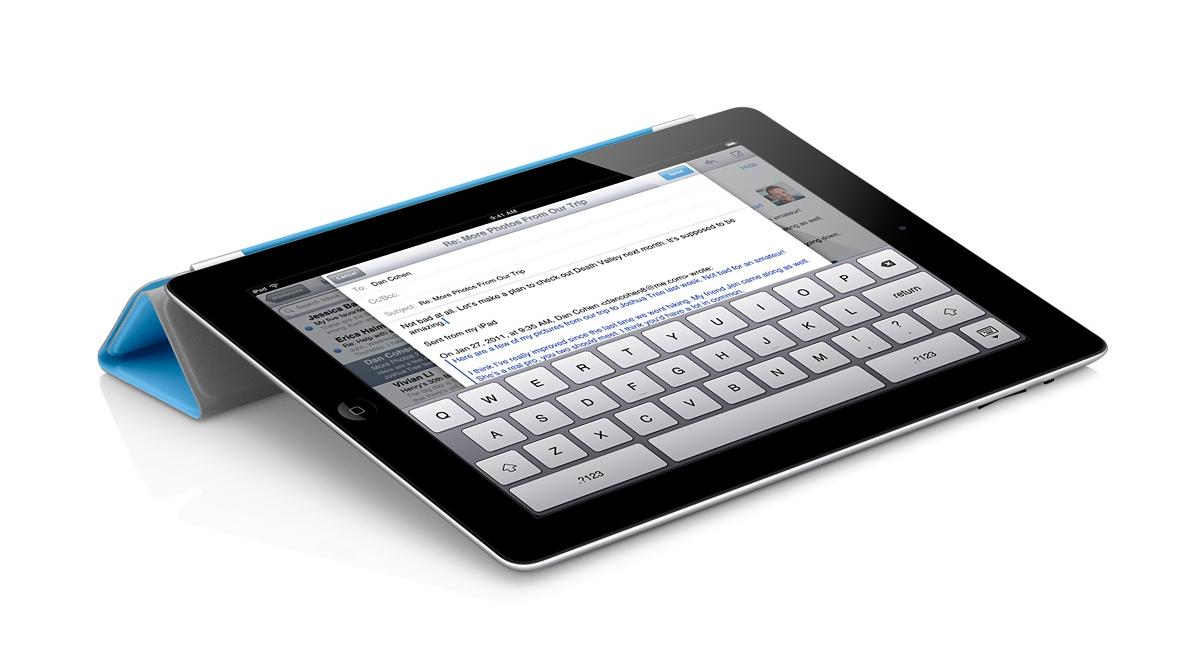
iPad apps for Academic Technology Committee – Updated

Total confession to make – I love my iPad. So when I was approached by a representative of North Park’s Academic Technology Committee about the possibility of doing a demonstration about favorite productivity apps, I was thrilled. Thought this is an extremely tentative invitation, I’ve been working with electronic resource usage statistics all day and feel like this would be a nice break!

Rather than focus on apps and what they can do – I’m going to try and focus on the things I want to do and how apps fit into that picture.

Taking Notes at a Conference (or in the Archives)

Evernote_Icon_256This won’t come as a huge surprise or particularly innovative, but I love using Evernote when I’m at a conference or meeting. Evernote is the free app that beautifully syncs across devices. In conjunction with my trusty apple keyboard, this makes a great combination for jotting notes on the fly. The basic unit of evernote is the “note” which can be sorted into different notebooks or tagged with different tags. Evernote also adds data about when and where the note was created so that you can view your notes in both time and space.

One great (and overlooked) feature of the iPad is the camera – Evernote’s app takes this in consideration and has really positively effected my conference and meeting workflows. So far, I’ve taken pictures of powerpoint presentations, displays from poster sessions, business cards, handouts, and agendas so keep all that information in one place. A really great thing about Evernote is that it performs Optical Character Recognition on your photographs so that all text – both text you have typed and text that you captured with the camera – is searchable.

Evernote also proved to be a great app when it comes to archival research. In additional to recording metadata, I was able to quickly snap pictures of things like title pages, long quotes, or other things to jog my memory later on. This is certainly not a replacement for traditional methods of research or recording information, but it was much easier and more efficient than a pencil and paper approach.

Professional and Scholarly Reading

Zotero isn’t an iPad app per se, but it has been the tool that has most revolutionized my professional and scholarly reading. Zotero is a bibliographic management tool – and that is much much cooler than it sounds. Here is a good video demostration care of a librarian at Wake Forest University.

[youtube id=”7FOu94Ah85Y” align=”center”]

I’m actually somewhat surprised I haven’t written more about Zotero here (given how much I like it) and could easily dedicate a whole post to it. However, the app that has really changed my workflow is pairing Zotero with something called Papership. Papership is a app that sync with Zotero (or Mendeley, if that’s more your style) and allows you to annotate and sort PDFs from a iPad. They too have a cool video.

[vimeo id=”65134134″ align=”center”]

That combination has been dynamite for me. I can find items when I’m researching a topic or browsing blogs or twitter feeds, add them to Zotero with one click, and then read and sort them when I have time.

Time and Task Management

I’m trying out Trello – a time and task management app recommended by a presenter at #ILEADUSA that I’ve been interested in exploring.

This might be boring, but I’ve found that the standard Apple calendar and task apps work quite well for me here. Both sync nicely with my North Park account and I’m very happy with the functionality they provide. I’ve tried other task management apps…but they all felt like something extra I had to maintain. I now use my standard calendar and outlook tasks at a high level and am quite happy with those results.

Technologically “cool” or “advanced”? No. Effective for me? Absolutely. A nice reminder that it’s about the user – not the technology.

Other “Essential” Apps

iAnnotate – I actually like this interface slightly more than Papership, but Papership fits in better with my workflow so I find myself using this less and less. However, if I were dealing with PDFs from other sources – say grading student papers – I would use this app all the time.

Dropbox – I use Dropbox daily – to the point where I don’t even think about it anymore. Talk to me later if you are not already on using it – it will change your file management habits.

Social Media Apps – Facebook, Tweetbot, Instagram, and Goodreads are my “essential” iPad apps for social media.

In Conclusion

I’ll likely return to this and edit it more in the future. I would describe myself as a competent user of technology that is focused on using technology to improve my daily life and workflows. I really don’t believe in technology for technology sake and will only stick to workflows and rhythms that provide a clear benefit.
Notes/Brainstorming for the CATLA Panel on Open Access

Notes/Brainstorming for the CATLA Panel on Open Access

Introduction

What qualifies me to speak on this panel? Not too much!
Digital Information Specialist at North Park University

  • Recent seminary graduate
  • Served as TA for the “Covenant Quarterly” for two years.
  • *Wrote thesis on the History of Covenant Publications

In my thesis, I borrowed language from an early education leader in the Covenant, David Nyvall, who wrote about two somewhat opposing forces in the early Covenant that “together they represented a centripetal and a centrifugal power within the Covenant which was jointly beneficial” and argued that publishing was a centripetal force that institutional leaders used to try and gather the people of the Covenant.
In preparing for this CATLA panel, I thought I would try to use this set of metaphors – drawn from physics – as a metaphorical framework for this discussion.

I’ll first talk about the three images – Centripetal Force, Inertia, and Energy – before moving to a discussion of the Covenant Quarterly’s slow transition to an OA journal.

Centripetal Force – a movement toward the center.

Is theological publishing inherently centripetal – i.e. a force tending toward the center?

Other forms of publishing – including digitizing unique and special collections, publishing student research in institutional repositories, etc. – are also centripetal (if only in the sense of drawing people toward a given institution.

Centrifugal Forces – movements away from the center.

OA is certainly a move away from some of the big vendors and aggregators

I wonder how Smith would respond to this language. I sense in your writing that you perceive the OA movement as a diffusion of power and would perhaps disagree with the notion that publishing, at some least some publishing or some OA attempts, are centripetal.

  • Context: NPU is currently looking at Institutional Repository software that would allow us to publish and make available faculty research, student papers, and (perhaps) the Covenant Quarterly.
  • Library people – motivated by many of the reasons Smith mentioned
  • Greater Access
  • Alternative to the “market” economy of articles
  • Making available unique and otherwise inaccessible resources
  • Administrators – seemingly still motivated by the commodities market.
  • Increase the value of the North Park brand.
  • Useful recruitment, retention, and development tool.
  • Are these goals contradictory? Or, will they eventually come into conflict?

Smith’s blog entry, quoting an article by Rick Anderson that discusses “commodity” and “non-commodity” gives different language to this question.

So libraries should definitely focus on local resources, but those resources include content created on campuses that has previously been considered commodities. The goal of library publishing activities should be to move some of that content — the needs and wishes of the faculty authors should guide us — off of the commodity market entirely and into the “gift economy” along with those other non-commodity documents that Anderson encourages libraries to publish.

Inertia – resistance of any physical object to a change in its motion

Neither a force nor an energy – merely a property

  • Keep still – difficult to change publishing and thought models.
  • Keep moving – difficult to know when to stop moving.

In writing this, I had a not-so-profound realization that everything else in the theological and/or scholarly publishing system also has inertia (print publishing, old subscription models, etc.) and some of those forces are strongly supported by large corporations.
the inertia of libraries is great too. Without a crisis, how can libraries overcome the inertia that is simply of property of organizational life?

Energy – the capacity for doing work.
Lack of energy in the theological education system.

Lack of energy in theological libraries?
Staffs are stretched thin and overworked.

Are libraries ready to take on challenge and opportunity of OA publishing that Smith proposes?

If libraries refocus their missions for a digital age, they will begin to become publishers not just of unique materials found in “special” collections, but also of the scholarly output of their constituents. This is a service that will grow in importance over the coming years, and one that is enabled by technologies that are being developed and improved every day. Library publishing, with all of the attendant services that really are at the core of our mission, is the ultimate answer to how libraries should address the problem described only partially by the Science “sting” article.

In another article, Smith has hopes for associations and professional organizations to take the role in leadership. How realistic is this – particularly in terms of technology?

Covenant Quarterly

Up until now, the Covenant Quarterly has lacked the Energy to overcome the Inertia of old models (that is as a subscription based print publication) and because of this, the Covenant Quarterly’s Centripetal Force has weakened.

  • In many ways, the Covenant Quarterly is a “Best Case” scenario for open access.
  • Loss of subscription revenue not a substantial loss.
  • Only 71 paid subscriptions – 52 of which are institutions (libraries or churches)
  • Sent for free to 2,052 Covenant pastors.
  • Financially subsidized by the North Park Theological Seminary, Covenant Denomination, and Covenant Communications.
  • A “double pay” model for at least some theological publishing.
  • Fear of prestige and concerns about tenure are – I believe – quite minor given the scope of this publication.
  • Much to gain (and very little to lose!) in the move toward OA
  • National and international reach (old model involved mailing publications to missionaries, etc.)
  • Most authors would welcome a wider audience.

Recommendations, Suggestions, Questions

What are your recommendations to us?!
Theological libraries should make this imperative! Right now, I think the move toward OA is viewed as “non-essential” and difficult by those in leadership.
No “White House directive” for theological publishing.

At least treat OA titles the same as paid print or electronic publications.

Can/should libraries take the lead the move toward OA – especially in the area of technology? I think that is the largest area of question and lack.

Connect the broadest goal of the publication – in this case, the Centripetal Force it hopes to exert on the Covenant Church – to the publication model and devout energy to overcoming the inertia keeping it in place.

Review of “More Product, Less Process”

Greene, Mark A., and Dennis Meissner. “More Product, Less Process: Revamping Traditional Archival Processing.” American Archivist 68, no. 2 (2005): 208– 263. http://archivists.metapress.com/content/c741823776k65863/fulltext.pdf

Today is a staff professional development day at the Brandel Library where we are free to research a topic of our choice. I’m embracing the opportunity by reading the paradigm shifting work “More Product, Less Process” by Greene and Meissner as well as some reflections/responses to it.

A Paradigm Shift

Overall, this article was a well argued case for massive changes in the way archivists manage manuscript collections that relies on several major shifts thinking. What was perhaps most striking – especially at the beginning – was the raw data. Examples of the “shocking” raw data:

  • 34% of archives have more than half of their holdings as “unprocessed” and 60% have at least a third unprocessed.
  • The time and cost of current processing practices (in terms of cubic feet processed) was staggering – as was the variation between institutions. Between $200 and $500 a foot taking between and priocessing times ranging between 67 hours per cubic foot to a low of 1.5 hours per cubic foot.

To a relative outsider, that data is shocking and seemingly troubling high!

Another thing that impressed me as a “outside” was how many of the practices, especially in terms of arrangement and preservation, were not definitively shown to have any real effect on preservation or use. At one point the authors refer to conservation practices, ones that varied widely between institutions, as “a disjointed and rather haphazard dedication to certain rituals” and I think their point as well as religious language is wonderfully appropriate.

When writing about why archivists haven’t changed practice to address these dire problems, the authors reason that

As a profession we give higher priority, in practice, to serving the perceived needs of our collection than to serving the demonstrable needs of our constituents.” (p.2)

This feels like one of the major paradigm shifts that influences every part of the library – how will <blank> meet the needs of the patrons, users, or constituents –  where the <blank> could be MARC records, mobile websites, library facebook pages, number of outlets, etc. It actually seems almost comical (or sad) how often this question must be asked to change practice.

[Let me offer this aside as a parenthetical remark. As an information profession, it seems reasonable to assume that sometime librarians and archivists must dedicate time and resources to things that don’t have a direct impact on the immediate experience of patrons or users but that nevertheless must be pursued because it simply needs to be done. For example, I’m thinking about Archon and applying LC subject headings to the collection. I simply don’t know how many users would see this as essential, but I’m still considering it because I think it might ultimately be in the best interest of all users. But I’m still considering that question – which seems to be the point of it! Aside complete.]

 Another major paradigm shift was in the turn toward metrics and objective data. The article asked basic questions like  – “what is the cost of processing collections to certain standards? how does this compare between institutions?” – before asking the larger, meta-question – “are archives scared to ask this question or scared of the answer?” But, the article argues forcefully, in the era of shrinking (or at least not growing!) resources and massive backlogs, archives must start to ask themselves these hard questions.

The actual call to change was interesting and compelling and I hope to read responses and reactions to it this afternoon. However, while the conclusions don’t apply directly to me in technical services, the issues addresses as well as the paradigm shifting questions are very much applicable.

Overall, I thought this was a wonderful article that seemed both revolutionary as well as perfectly natural. As a young person just beginning in the field of library and information science, I’m firmly convinced that the questions and standards this article considers are the crucial questions and that many of their conclusions are the right conclusions for this period.

More reactions to follow.


Event Recap – “The Technical Services side of the new Collection Management”

This is a recap of a LIBRAS event I co-hosted on Tuesday, March 19th, from 9am-3pm. Just wanted to publish this information somewhere and this is the only place I have!

Information

The Collection Management and Technical Services special interest groups are excited to offer a jointly hosted event called “The Technical Services side of the new Collection Management.” This event will look at the ways technical services and collection management are evolving and changing and how libraries can use these changes to offer new and improved services to library patrons. Hot topics like demand driven acquisitions, ebook workflows, usage reports, monographic automation, and the EBSCO discovery layer will all be covered.

Because vendors play a big role in this process, we’ve invited representatives from YBP and EBSCO to join us at the table for a discussion about how their services can provide new opportunities and more information to help libraries handle this change. In return, they have offered to provide meals for our group. We figured it was the least they could do – so come enjoy breakfast and lunch care of EBSCO and YBP!

Concordia University has graciously agreed to host this event that is scheduled for Tuesday, March 19th, from 9am-3pm. If you want to attend, please RSVP here: http://goo.gl/0JANf. More detailed information will be sent out before the event to those that have RSVPed. We’ve limited this event to 25 people – so space is limited. RSVP early to make sure your school is represented at this great event! If you have any questions or concerns, please let Andy Meyer (ameyer@northpark.edu).

One last invitation: if your school would like to do a short presentation, host a panel discussion, or do something else to directly contribute to this event – there is still time and opportunity! Please contact Andy Meyer in the near future and he’ll be in contact!

Agenda

9:00 – 9:30 – Welcome and Breakfast
9:30 – 10:30 – YBP (ebooks, DDA, etc.) Steve Hyndman
10:30 – 11:00 – Coffee Break
11:00 – 12:00 – EBSCO (usage consolidation and EBSCOnet analytics)
12:00 – 1:00 – Lunch
1:00 – 3:00 – Breakout Sessions (see below)
3:00 – Conclusion

Breakout Sessions

  • Access 360, Title Source,GOBI – Joann Moore, Danielle Miller, and Nathaniel Gray (YBP)
  • New workflows and tops on managing a patron drive acquisitions program. – Amy Weidner and Luann DeGreve (Benedictine)
  • New stuff by YBP MarketPlace – Joann Moore, Danielle Miller, and Nathaniel Gray (YBP)
  • EBSCO Discovery Service – Matt Andros and Kirk Powell (EBSCO Publishing)
  • Ebooks – Matt Andros and Kirk Powell (EBSCO Publishing)
  • Consortial Bargaining Power – Emily PR (North Central)
  • What are valuable metrics? How to get them and use them? – Sally Anderson (North Park)
  • Lower Costs, Greater Access – What Pay-Per-View did for Our Serials Budget – Connie Mead and Steve Oberg (Wheaton)
  • Setting up EOCR and EDI with YBP – Andy Meyer (North Park)


Managing Kindles for a Library

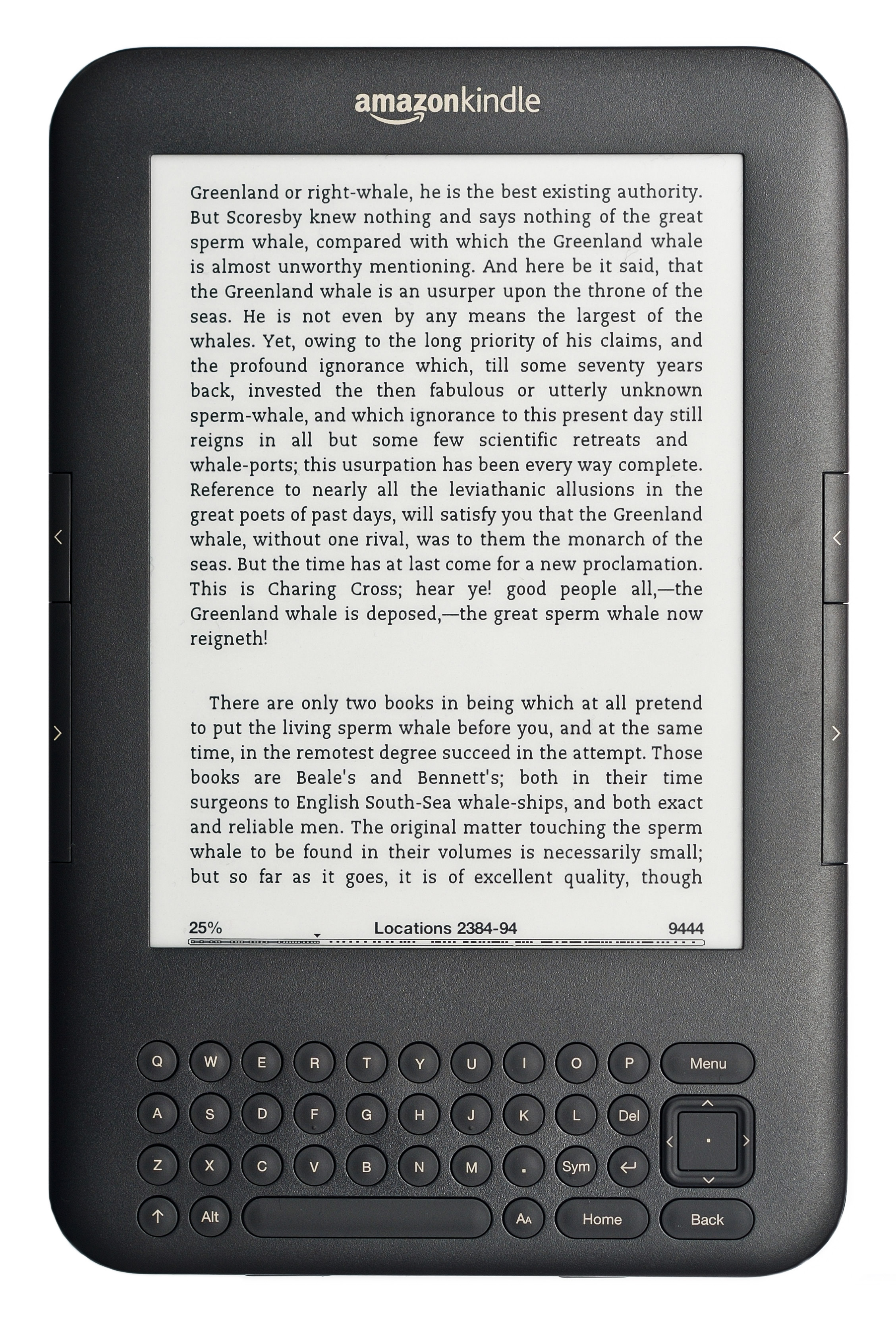
A kindle seems like a great personal device…but managing even a small fleet of Kindles for an institution like a library quickly becomes more complicated. I thought it would be worth sharing the policies and procedures I’ve developed for the North Park University’s library about how to order and manage Kindles.

So much of this process comes from this post in the code4lib journal that you should stop reading this and go there first. Seriously.

Loading Content from Amazon

Once you have the Kindle devices, they will need to be loaded with content – most likely from Amazon. This process should work as the initial load or as subsequent loads to add titles to a Kindle.

  1. Register the Kindle (or re-register) the device to your institutions Amazon account.
    1. Log in to institutional Amazon account.
    2. From the main page, click to “Manage my Kindle” and then “Register my Kindle”
    3. Enter the 16 digit serial number located in the Settings screen under ‘Device Info’.
    4. This Kindle should now appear under “Registered Devices”
  2. To load new content, search for the title and then select “Device to my…” and send it to the appropriate Kindle.
  3. To load content you’ve already purcahsed:
    1. Navigate to “Your Kindle Library” and then to “Books”
    2. Search for and find the title to be re-load to the Kindle Device
    3. Under “Actions…”, click “Deliver to my…”, make sure the correct Kindle device is listed, and click “Deliver”
  4. Repeat steps 3 and/or 4 until all the titles you want have been loaded to the device.
  5. On the Kindle device, check that you can open and read all the items – titles should wirelessly sync to the device.

All of the content should now be loaded to the Kindle device!

De-registering Kindles and Creating Back-ups

  1. Open Calibre – download this program if necessary.
  2. If this is the first backup for a new device, create a new library in Calibre for that Kindle. (If altering a Kindle that already has a Calibre library, skip to step 3)
    1. In Calibre, select “Books” from the top bar and select “Switch/Create library”
    2. Click the icon to the right of “New Library” and navigate until you reach the desired folder
    3. Select “Create an empty library at the new location”
    4. Press okay and wait for Calibre to complete the task (status wheel in the bottom right corner)
  3. Now that there is one calibre library per Kindle device, copy the contents of each Kindle to its calibre library.
    1. Connect each Kindle to the computer via the USB cord
    2. Calibre should recognize the Kindle device and a new icon should display on the top banner.
    3. Click the “Device” icon in the toolbar and then “Show books on the main memory of this device”
    4. Select all the titles, right click, and select “add to library”
    5. Check the Calibre library – each title should be listed.
    6. Eject the Kindle device and disconnect from the computer.
  4. De-register the Kindle device
    1. On the Kindle, click “Menu” and then “Settings” to de-register the Kindle from the North Park account.
    2. This is important because it prevents patrons from downloading unauthorized content and loading other titles.

Reloading Content from Local Backup

  1. Delete all content from the Kindle device.
  2. Open Calibre, select “Library” from the top bar and select “Switch/Create library”
  3. Switch to the Calibre library that corresponds to Kindle device.
  4. Plug in Kindle device using USB cable – wait for it to register in Calibre (the top bar will change)
  5. Select all titles in the Calibre library that should be loaded to the Kindle device
  6. Then click “Send to Device” from the top bar.
  7. Confirm that all titles are loaded to the Kindle.

Important Information