Working on my thesis…again

I’m working on updating and uploading my thesis to an new, online home. I’m particularly interested in the metadata and how moving from analog to digital offers new opportunities and challenges. I’ve been working on this project for a while now and think it’s time to get somewhat more serious about it. Sometimes my idealist and dreams get in the way of actual, productive work so I wanted to address them both head on here and now.

Ideals

Ideally, I’d like to use my thesis as the basis of an exploration in linked data and the semantic web. My grandest visions involve creating a “Wikipedia of Covenant history” that allows raw data (names, dates, etc.) to be incorporated into meaningful narratives as well as stand alone as definitive data sets. The narratives I have in mind would be analogous to the text of my thesis – interpreting the bare facts of the history – and the data sets would be somewhat analogous to the bibliography.

The data sources I have in mind are ambitious; they include:

  • Books. Given my interest, this should be obvious. But I’d also love to include other information resources: tracts, pamphlets, videos, and blog posts. Perhaps even tweets and news stories.
  • People. Obviously all authors and editors but also all ordained Covenant clergy, including basic biographical information. Former Covenant archivist Timothy Johnson compiled a wonderful resource that I’ve used many times – I’d love to transition that data online and mix it with other datasets
  • Churches. A list of all Covenant churches of all time. Ideally, this would include information such as location, date of founding, etc.
  • Dates. This is pretty easy – link all of these events to a standard calendar.
  • Events. Catalog covenant events like CHIC, Midwinter, the Annual Meetings, etc.

These would be the different data sets – at least the ones I’m currently imagining – and they would be linked by different connections. I’ve done a little dreaming and research about different taxonomies and schemas but am having a hard time (1) determining what schema/structure makes the most sense and (2) what the technical challenges would be in implementing such a thing.

Additionally, there is the question about how I would generate and manage these different datasets. I have a relatively complete lists of books…but in that process I realized how incomplete that list was and how arbitrary certain distinctions seemed in practice. For example, certain articles in The Covenant Quarterly were much more influential to Covenant life than certain books. Yet cataloging all the periodical – Covenant Quarterly, Covenant Companion, weekly newspapers! – seems like an overwhelming and daunting task but ultimately one that would be very beneficial.

I’m going to spend sometime in the next few days exploring other examples of linked data set so that I get a better sense of how these things can related, what relationships already exist, and what tweaks I would need to make locally.

I’m imagining both a site where these different entities are linked to each other (much like my current sites in Omeka) but also where the user could browse and filter so as to ask relatively complex questions and get back hard data in response. For example, a list of pastors that served at a given church, list of churches started in a certain decade, books written by North Park grads, etc. I think this falls squarely in the “digital humanities” ball park and I’m excited to continue thinking about it.

Used under CC license - https://flic.kr/p/8agsb6
Used under CC license – https://flic.kr/p/8agsb6

Practical

I’m going to start building an omeka site that will import the Zotero for my thesis and create items for each book. This will also allow me to generate: a small set of names to begin thinking about people and some items to plot on a timeline (to see what features are available there). I think it will also be nice to get the data into a “better” format –  i.e. a format where a limited amount of metadata is structured in such a way that it can move moved to a different system.

At this point, I’m thinking of these datasets much like tables in a database but I think there are alternatives (XML, JSON, etc.) that are worth exploring and a sample set of this size – and a project with no real consequences! – is a perfect test run.

I also think practically about how I will generate the datasets that I need to complete this project. That is a bit daunting but the raw data is available in the Covenant Yearbooks. Ideally, I’d build on existing works but that’s a start.

Omeka Plugins:

  • Bulk Metadata Editor
  • COINS
  • CSS Editor
  • Dublin Core Extended
  • Exhibit Builder
  • Facet by Metadata
  • Item Order
  • Item Relations
  • Record Relations
  • Search by Metadata
  • Simple Pages
  • Simple Vocab
  • Zotero Import

Okay. I think that is everything. More later on!
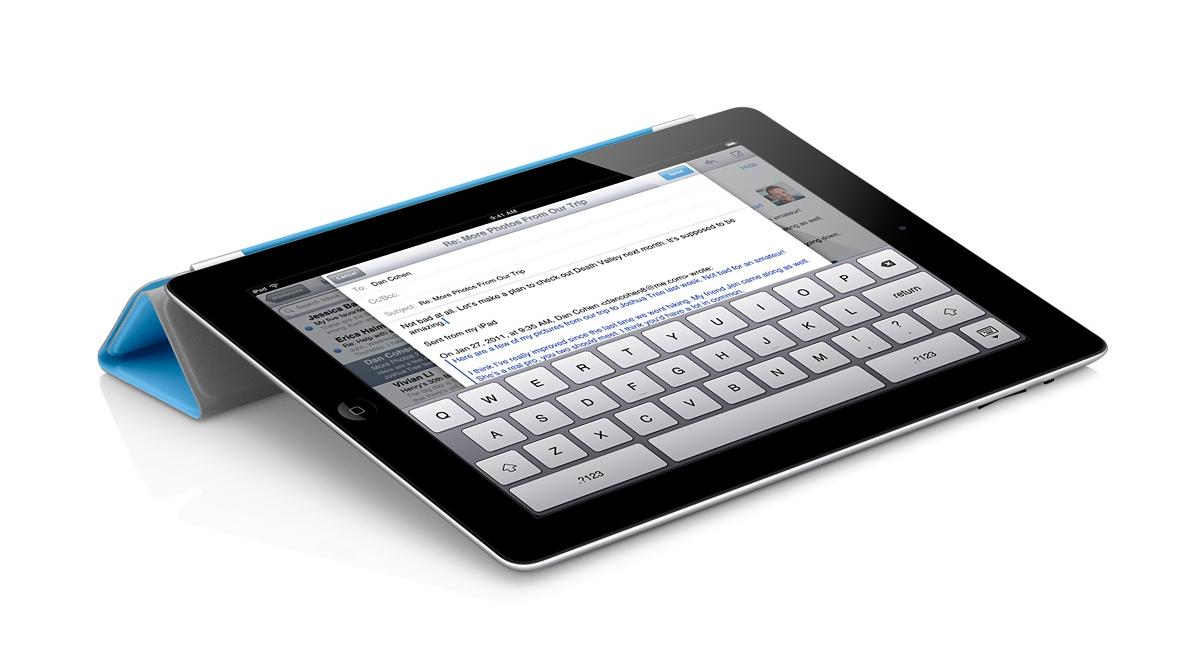
iPad apps for Academic Technology Committee – Updated

Total confession to make – I love my iPad. So when I was approached by a representative of North Park’s Academic Technology Committee about the possibility of doing a demonstration about favorite productivity apps, I was thrilled. Thought this is an extremely tentative invitation, I’ve been working with electronic resource usage statistics all day and feel like this would be a nice break!

Rather than focus on apps and what they can do – I’m going to try and focus on the things I want to do and how apps fit into that picture.

Taking Notes at a Conference (or in the Archives)

Evernote_Icon_256This won’t come as a huge surprise or particularly innovative, but I love using Evernote when I’m at a conference or meeting. Evernote is the free app that beautifully syncs across devices. In conjunction with my trusty apple keyboard, this makes a great combination for jotting notes on the fly. The basic unit of evernote is the “note” which can be sorted into different notebooks or tagged with different tags. Evernote also adds data about when and where the note was created so that you can view your notes in both time and space.

One great (and overlooked) feature of the iPad is the camera – Evernote’s app takes this in consideration and has really positively effected my conference and meeting workflows. So far, I’ve taken pictures of powerpoint presentations, displays from poster sessions, business cards, handouts, and agendas so keep all that information in one place. A really great thing about Evernote is that it performs Optical Character Recognition on your photographs so that all text – both text you have typed and text that you captured with the camera – is searchable.

Evernote also proved to be a great app when it comes to archival research. In additional to recording metadata, I was able to quickly snap pictures of things like title pages, long quotes, or other things to jog my memory later on. This is certainly not a replacement for traditional methods of research or recording information, but it was much easier and more efficient than a pencil and paper approach.

Professional and Scholarly Reading

Zotero isn’t an iPad app per se, but it has been the tool that has most revolutionized my professional and scholarly reading. Zotero is a bibliographic management tool – and that is much much cooler than it sounds. Here is a good video demostration care of a librarian at Wake Forest University.

[youtube id=”7FOu94Ah85Y” align=”center”]

I’m actually somewhat surprised I haven’t written more about Zotero here (given how much I like it) and could easily dedicate a whole post to it. However, the app that has really changed my workflow is pairing Zotero with something called Papership. Papership is a app that sync with Zotero (or Mendeley, if that’s more your style) and allows you to annotate and sort PDFs from a iPad. They too have a cool video.

[vimeo id=”65134134″ align=”center”]

That combination has been dynamite for me. I can find items when I’m researching a topic or browsing blogs or twitter feeds, add them to Zotero with one click, and then read and sort them when I have time.

Time and Task Management

I’m trying out Trello – a time and task management app recommended by a presenter at #ILEADUSA that I’ve been interested in exploring.

This might be boring, but I’ve found that the standard Apple calendar and task apps work quite well for me here. Both sync nicely with my North Park account and I’m very happy with the functionality they provide. I’ve tried other task management apps…but they all felt like something extra I had to maintain. I now use my standard calendar and outlook tasks at a high level and am quite happy with those results.

Technologically “cool” or “advanced”? No. Effective for me? Absolutely. A nice reminder that it’s about the user – not the technology.

Other “Essential” Apps

iAnnotate – I actually like this interface slightly more than Papership, but Papership fits in better with my workflow so I find myself using this less and less. However, if I were dealing with PDFs from other sources – say grading student papers – I would use this app all the time.

Dropbox – I use Dropbox daily – to the point where I don’t even think about it anymore. Talk to me later if you are not already on using it – it will change your file management habits.

Social Media Apps – Facebook, Tweetbot, Instagram, and Goodreads are my “essential” iPad apps for social media.

In Conclusion

I’ll likely return to this and edit it more in the future. I would describe myself as a competent user of technology that is focused on using technology to improve my daily life and workflows. I really don’t believe in technology for technology sake and will only stick to workflows and rhythms that provide a clear benefit.