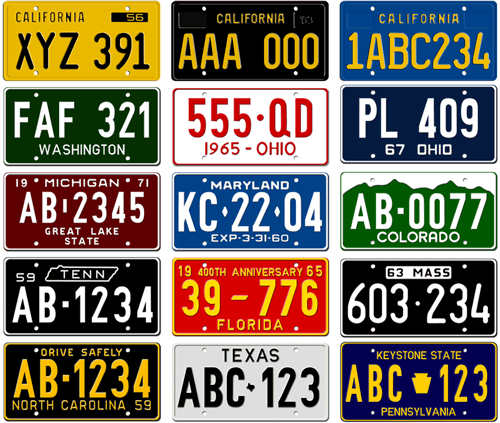
Imagine you’ve just witnessed a hit and run accident. A car hit a biker and sped away. Despite the shock, you managed to remember the license plate number and promptly report it to the police. Great! You think the license plate number was 123ABC. They search their system and – yes! – it’s a match and justice was served.
This (obviously fictional) story is my way to introduce the idea of regular expressions. Theoretically, regular expressions could enable the police to find this car without perfect search terms.
Regular Expressions Solve Crime
Let’s change the memory. Instead of remembering the whole license plate number, you remember the first five characters – 123AB – and that the license plate had six characters total. You could do multiple searches like this:
123AB1
123AB2
…
123ABZ
That would work…but it would be much easier to use the search term:
123AB.
In regular expressions, the dot character represents a single character. Searching “123AB.” would be functionally equivalent to searching all of the examples listed above (“123AB1“, “123AB2“, etc.). Again, the dot metacharacter matches only single items. Searching for “123AB.” would not match a license with 7 characters – if the license plate number was 123ABCD, they would get away!
Better Searching with Brackets
Let’s say that searching 123AB. worked, but it gave too many results. And, even though you can’t remember it exactly, you are pretty sure the last character was a letter and not a number (or perhaps this is a requirement for valid license plate numbers). The police could tighten up their search by using the following search term:
123AB[A-Z]
This expression uses two new characters: it uses square brackets and the hyphen symbol. Defined quickly, square brackets “identifies a user-defined class of characters, any of which will match” and the hyphen will “identifies a range of characters to match” (Source). The hyphen requires that items appear in their natural order – searching for 123AB[Z-A] would not return any matches. Other examples:
- If you knew the last character wasn’t an A 0r B = 123AB[C-Z]
- If you thought the last character was a vowel = 123AB[AEIOU]
- If you thought the last character was a number = 123AB[1-9]
Summary
Three metacharacters in regular expressions could help solve this crime:
- The dot characters matches any single character
- Square brackets define allowable characters
- Hyphens can be used to define an allowable range of characters.